invideo v4.0 is now live.
InVideo simplifies video creation with ready-made templates that you can quickly customize even if you’ve never done it before.
No credit card required
InVideo Review — Can AI Really Replace Your Video Editor?
First Impressions
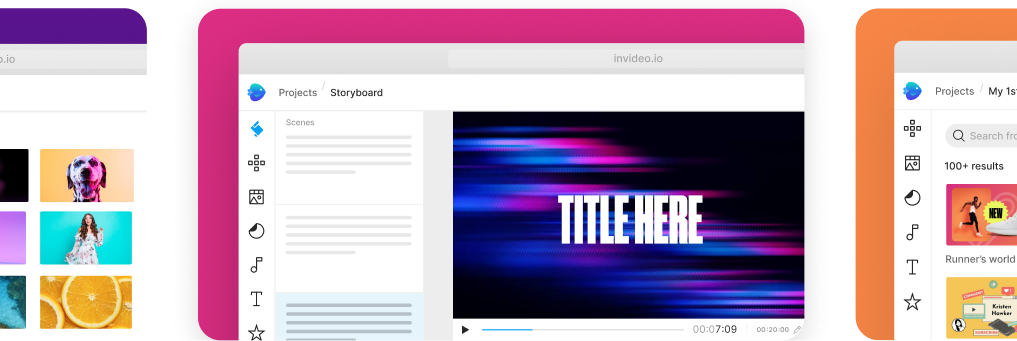
5000+ professionally- created templates
Discover templates for any use case. Search by platform, industry or content type. Customize a template for your brand using simple drag-drop-replace actions.
What We Liked
Ridiculously Fast: We made a decent Instagram ad in under 15 minutes (script + visuals + captions).
No Editing Skills Needed: If you can drag, drop, and type, you can use InVideo.
Professional Look: Stock footage, music, and clean templates mean your videos don’t look like they were made in a rush.
Platform-Ready: The export presets for YouTube Shorts, Instagram Reels, and LinkedIn saved us so much resizing hassle.
Where It’s Not Perfect
Limited Deep Customization: If you’re a seasoned Premiere Pro or DaVinci Resolve user, you’ll probably find the controls basic.
Stock Dependence: If you don’t upload your own footage, some videos might start to feel “template-y” after heavy use.
Internet Required: It’s all cloud-based, so no Wi-Fi means no editing.
Single click shortcuts
AI tools to boost productivity
Select a template, upload images and logos, edit and animate
Access 8m+ stock media from right inside the editor
Add bespoke graphic assets

Set your brand up for social media success
Plan and execute a video content strategy that will significantly increase your brand’s exposure, awareness and engagement.

Start a new revenue stream
Turn video into a monetizable asset that helps you gain new customers and scale your business.

Save time and optimize your workflow
Increase the scale and speed of your video creation. Save time, maximize resources and lower production costs.